
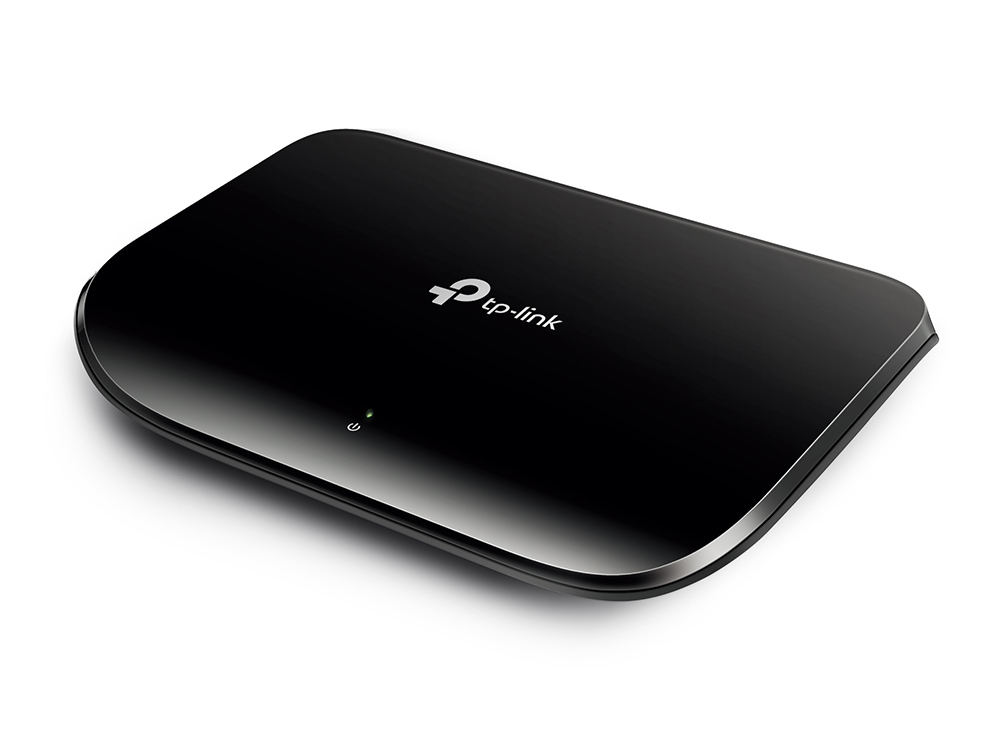
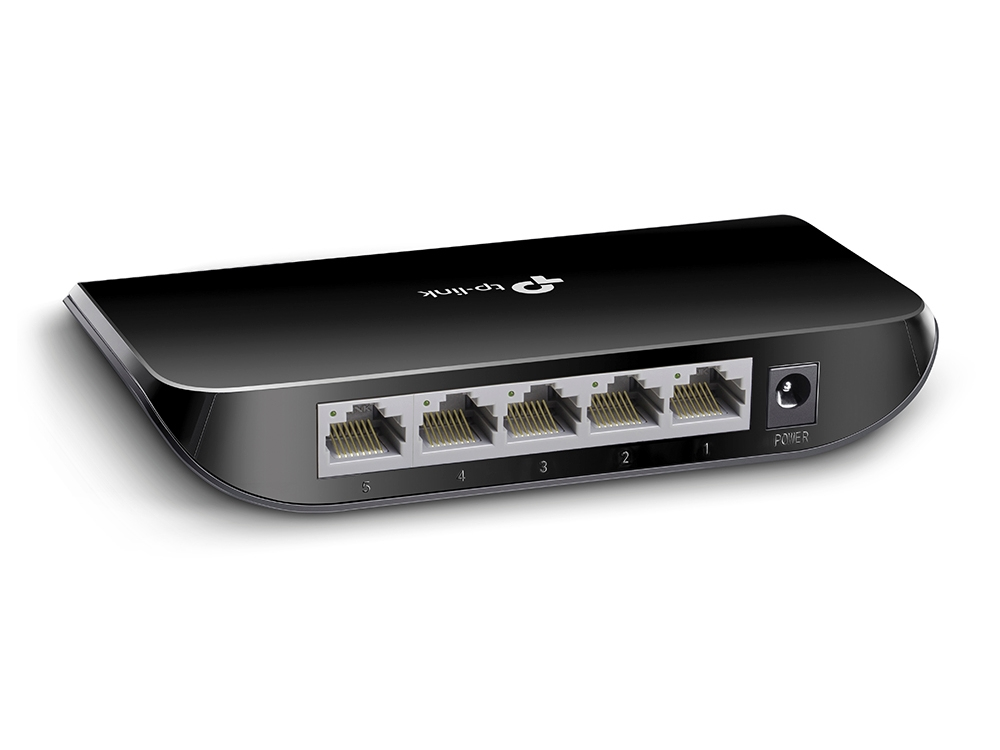
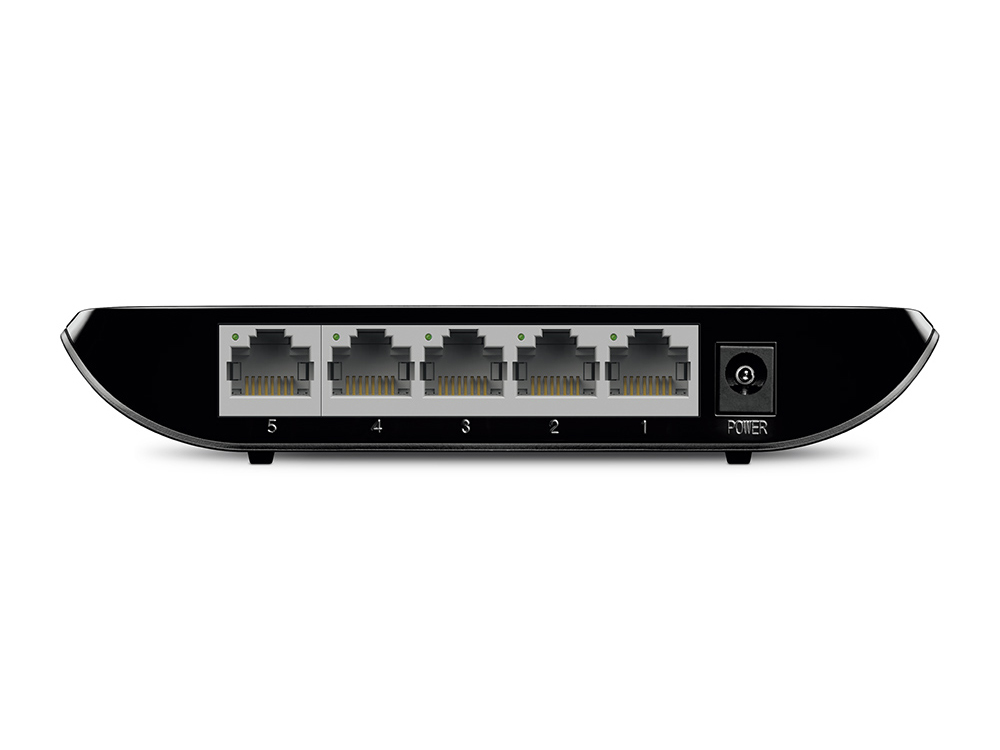
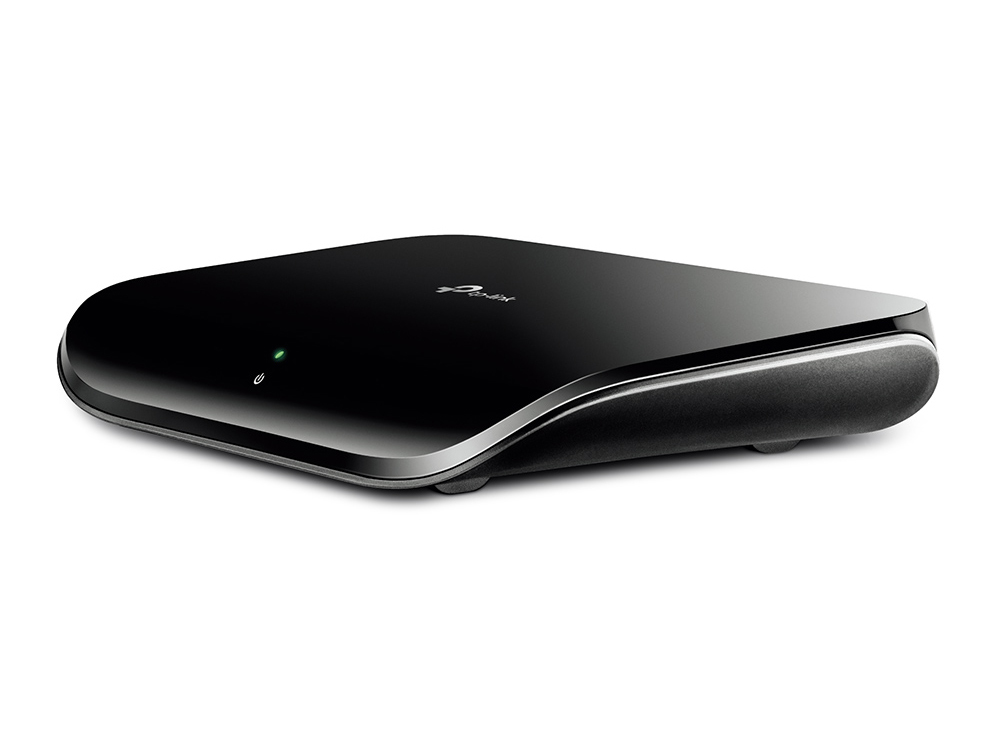
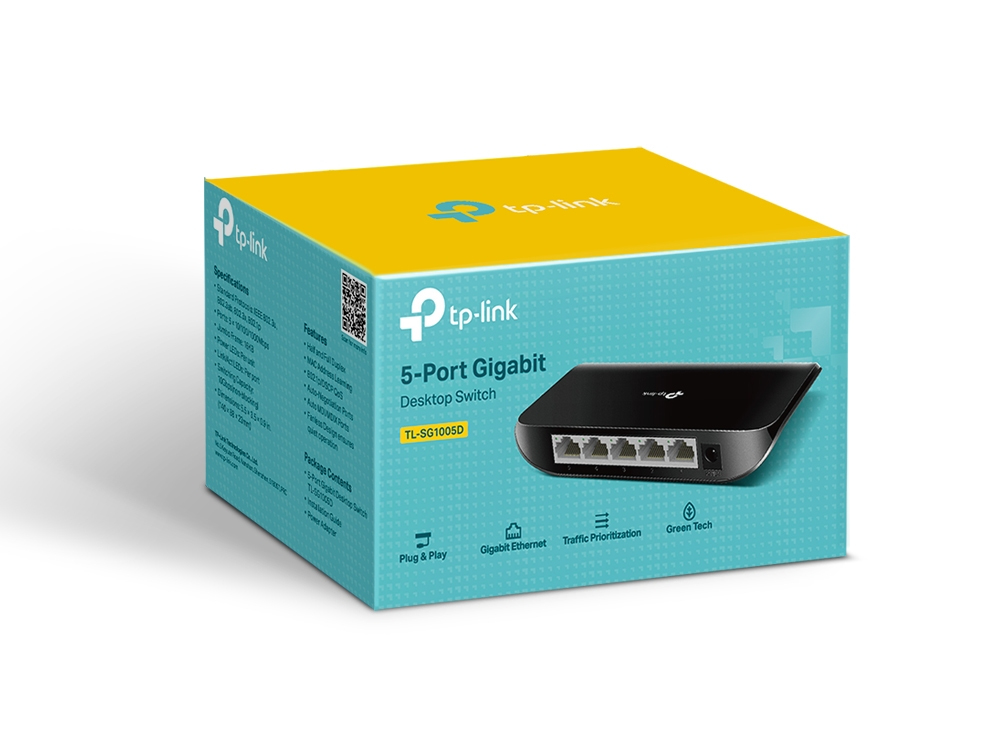
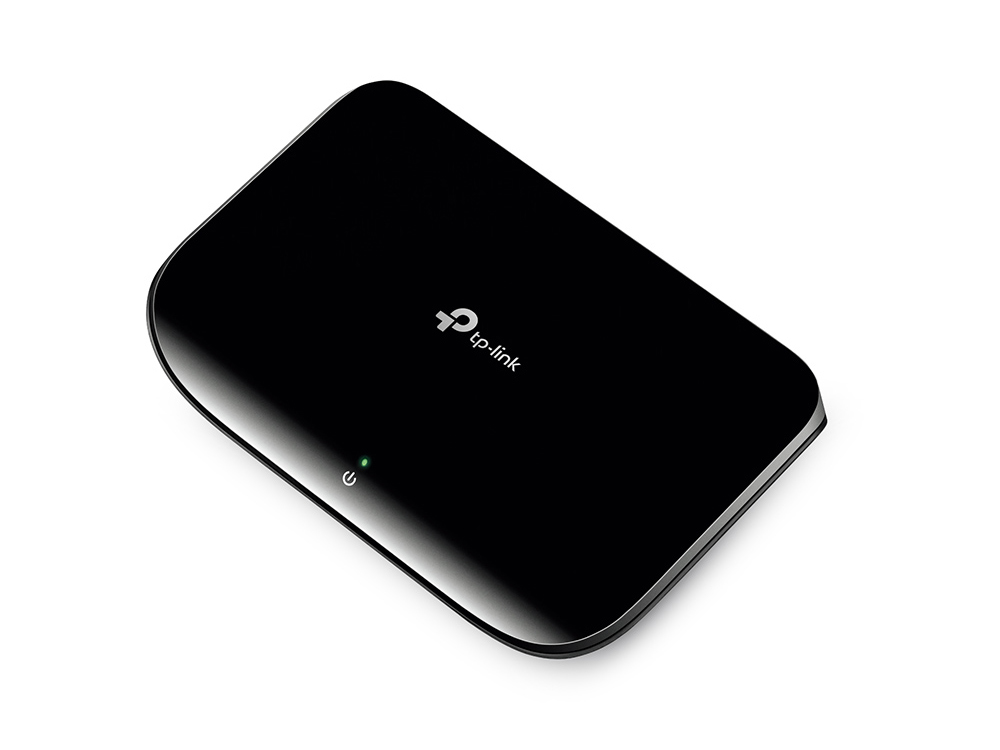
TP-Link 5-Port Gigabit Desktop Switch


 Model TLSG1005D
Installation needs delivery to Co. Kilkenny. Choose delivery
If it's urgent, get in touch and we'll see what we can do to help you out.
Need more information? Read more about delivery and collection, including prices, tracking info and more in our help centre.
- Kilkenny Ready in 3-5 working days Opening times & directions
- Carlow Ready in 3-5 working days Opening times & directions
- Waterford Ready in 3-5 working days Opening times & directions
- Carlow Ready in 3-5 working days Opening times & directions
- Kilkenny Ready in 3-5 working days Opening times & directions
- Waterford Ready in 3-5 working days Opening times & directions
- Waterford Ready in 3-5 working days Opening times & directions
- Kilkenny Ready in 3-5 working days Opening times & directions
- Carlow Ready in 3-5 working days Opening times & directions
We'll get this delivered to your chosen store for collection. It should be there in 3-5 working days.

Delivery charges and promotions confirmed in your basket.
Trusted by you
Excellent · 4.7 out of 5 · 2,917 reviews on Reviews.io (opens in a new tab)“Very easy to use site and amazing deals.”
“Amazing company to buy from. Great service”
“I recommend ElectroCity, fast delivery, good price, great customer service.”
“Absolutely perfect, polite professional, nicest I've dealt with in years”
“Electro city a very good company . Delivery was excellent & the driver very friendly & helpful”
“shopping + delivery = everything perfect...Thank you.”
“Very good company the service was brilliant”
“Recommended to shop here again with value products and services”
“Always have a good experience with electrocity and I wouldn’t pass them for any electrical needs I have.”
“Great product range and reasonable prices”
At a glance
Customers love this because it instantly upgrades their entire network to gigabit speeds without any technical setup, whilst the intelligent power management reduces electricity costs by automatically powering down unused ports and adjusting consumption based on cable length.
Summary of the top features by our AI shopping assistant, reviewed by our team Learn more
Key features
The TP-Link TL-SG1005D makes upgrading to gigabit speeds simple and affordable. This compact desktop switch features five auto-negotiating gigabit ports that instantly boost your network capacity for faster file transfers and smoother streaming.
With innovative Green Ethernet technology, it automatically adjusts power consumption based on port usage and cable length for home or office networks. The plug-and-play design means no configuration required – simply connect your devices and enjoy gigabit speeds.
Warranty
1 year manufacturer warranty from TP Link
Your statutory rights are unaffected · View notice
Specifications
Ports & interfaces
| Basic switching RJ-45 Ethernet ports quantity | 5 |
|---|---|
| Basic switching RJ-45 Ethernet ports type | Gigabit Ethernet (10/100/1000) |
Network
| Networking standards | IEEE 802.1p, IEEE 802.3x |
|---|---|
| 10G support | No |
Data transmission
| Store-and-forward | Yes |
|---|
Design
| Rack mounting | No |
|---|---|
| Product colour | Black |
| LED indicators | Yes |
Power
| Power supply included | Yes |
|---|---|
| AC input voltage | 220 V |
| AC input frequency | 50 Hz |
| DC input voltage | 5 V |
| Input current | 0.6 A |
Operational conditions
| Operating temperature (T-T) | 0 - 40 °C |
|---|---|
| Storage temperature (T-T) | -40 - 60 °C |
| Operating relative humidity (H-H) | 10 - 90% |
| Storage relative humidity (H-H) | 5 - 90% |
Weight & dimensions
| Width | 140 mm |
|---|---|
| Depth | 88 mm |
| Height | 23 mm |
Certificates
| Certification | FCC, CE, RoHs |
|---|
Network Specifications
| Interface | 5 x 10/100/1000Mbps RJ45 Ports |
|---|---|
| Auto Features | Auto Negotiation, Auto MDI/MDIX |
| Flow Control | IEEE 802.3x |
| Transmission Method | Store and Forward |
| QoS | 802.1p/DSCP |
Physical Specifications
| Dimensions (W x D x H) | 14.0 x 8.8 x 2.3 cm |
|---|---|
| Design | Desktop or wall-mounting |
| Case Material | Plastic |
| Cooling | Fanless |
| Security Lock | No |
Power & Environment
| Power Supply | External Power Adapter (9VDC / 0.6A) |
|---|---|
| Max Power Consumption | 2.4W |
| Heat Dissipation | 8.2 BTU/h |
| Operating Temperature | 0°C to 40°C |
| Operating Humidity | 10% to 90% non-condensing |
More details
| Colour | Black |
|---|---|
| Material | Plastic |
| Wall Mountable | Yes |
Product information is provided by TP Link as-is.
Documents Leaflet (PDF)
About this product
Instant Gigabit Network Expansion
Transform your network with five 10/100/1000Mbps auto-negotiating ports that provide seamless connectivity for all your devices. Whether you’re transferring large multimedia files, streaming 4K content, or running bandwidth-intensive applications, this switch delivers the speed you need.
Intelligent Power Management
The TL-SG1005D features advanced Green Ethernet technology that reduces power consumption. It automatically detects idle ports and reduces power consumption when devices are disconnected. Additionally, the switch adjusts power output based on cable length, using only the energy required for optimal performance.
Effortless Installation
No technical expertise required – this switch works straight out of the box. Auto MDI/MDIX eliminates the need for crossover cables, whilst auto-negotiation ensures each port automatically detects and adjusts to the optimal speed for connected devices. The compact plastic case can be placed on your desk or mounted on the wall.
Reliable Data Transfer
IEEE 802.3x flow control provides dependable data transmission, preventing packet loss during heavy network traffic. The store-and-forward transmission method ensures data integrity across your network.
From TP-Link
What This Product DoesThe TP-Link 5-Port Gigabit desktop switch TL-SG1005D provides you an easy way to make the transition to Gigabit Ethernet. Increase the speed of your network server and backbone connections, or make Gigabit to the desktop a reality. Moreover, TL-SG1005D adopts lower power consumption design. With the innovative energy-efficient technology, the TL-SG1005D can save power consumption, making it an eco-friendly solution for your home or office network. Gigabit Switch
Featured with 5 10/100/1000Mbps ports, TL-SG1005D greatly expands your network capacity, enabling instant large files transferring. So, power users in the home, office, workgroup, or creative production environment can now move large, bandwidth-intensive files faster. Transfer graphics, CGI, CAD, or multimedia files across the network instantly. Go Green With Your Ethernet
You now have the choice to go green when upgrading to a gigabit network! This new generation TL-SG1005D 5-Port Gigabit Desktop Switch features the latest innovative energy-efficient technologies that can greatly expand your network capacity with much less power. It automatically adjusts power consumption according to the link status and cable length to limit the carbon footprint of your network.
Power down Idle Ports
When a computer or network equipment is off, the corresponding port of a traditional switch will continue to consume considerable amounts of power. The TL-SG1005D can automatically detect the link status of each port and reduce the power consumption of ports that are idle.
Power Budget According to Cable Length
Ideally, shorter cable would use less power because of less power degradation over their length; this is not the case with most devices as they will use the same amount of power across the cable regardless of the length.
Easy to UseThe auto features of this gigabit switch make installation plug and play and hassle-free. No configuring is required. Auto MDI/MDIX eliminate the need for crossover cables. Auto-negotiation on each port senses the link speed of a network device (either 10, 100, or 1000 Mbps) and intelligently adjusts for compatibility and optimal performance.
More photos from TP-Link
Questions & answers
-
No configuration is required. The TL-SG1005D is plug-and-play – simply connect your devices with standard Ethernet cables and it will work immediately. Auto-negotiation handles all speed and connection settings automatically.
-
Each of the 5 ports supports 10Mbps, 100Mbps, and 1000Mbps (1 Gigabit) speeds. The switch automatically detects and adjusts to the optimal speed for each connected device.
-
The switch automatically detects idle ports and reduces power consumption when devices are disconnected. It also adjusts power output based on cable length, using only the energy required for optimal performance across different cable lengths.
-
Yes, the TL-SG1005D features a desktop or wall-mounting design, giving you flexibility in placement. The compact plastic case is suitable for both mounting options.
-
No special cables are required. The Auto MDI/MDIX feature eliminates the need for crossover cables – you can use standard Ethernet cables for all connections.
Reviews
No reviews yet.
Write a review (opens in a new tab)

